
Securonix Exposes SMOKE#SCREEN Campaign Installing ScreenConnect via Fake Adobe, Zoom Updates
This digest was compiled by AI from multiple sources — links to the originals are below.
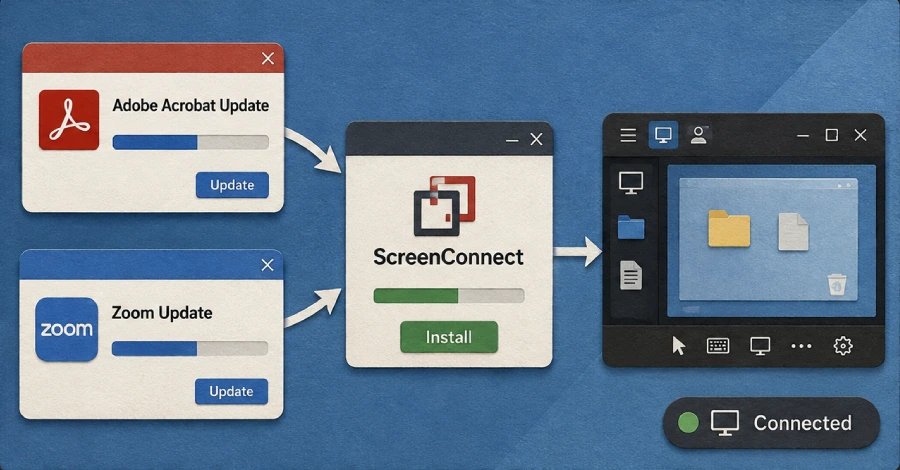
Securonix reveals an active multi-wave campaign, SMOKE#SCREEN, that uses fake Adobe and Zoom software updates to install ConnectWise ScreenConnect for persistent remote access. The campaign employs spear-phishing emails with obfuscated VBScript droppers that disable security protections and connect to attacker-controlled relay servers. The activity, unlinked to any known threat group, highlights the rising trend of adversaries abusing legitimate remote monitoring tools.
Spear-Phishing and VBScript Droppers
The SMOKE#SCREEN campaign begins with spear-phishing emails delivering an obfuscated Visual Basic Script (VBScript) dropper. The script first performs environment checks, aborting if analysis tools like Wireshark, Process Monitor, or virtualization services (Oracle VirtualBox, VMware Tools) are detected. If safe, it decrypts a PowerShell command to fetch a C# payload from 207.189.11[.]170. Variants use business-themed lures to trick users into executing a VBScript directly.
ScreenConnect Installation and C2
The final payload installs a ConnectWise ScreenConnect agent that beacons to one of three attacker-controlled relay servers. Securonix identified three distinct command-and-control clusters tied to decoy binaries posing as software updates, document reviews, and document viewers. A WsgiDAV staging server at 207.174.0[.]143:8080 both hosts malicious files and maintains C2 through a ScreenConnect relay on port 8041, granting persistent remote access.
Defense Evasion Layers
In one delivery method, a compressed archive contains a batch script that disables Windows Antimalware Scan Interface (AMSI), escalates privileges via a User Account Control (UAC) prompt, turns off SmartScreen protections through Registry modifications, and removes the Zone.Identifier mark. The campaign’s droppers also avoid systems running security analysis software, complicating detection by automated sandboxes and security tools.
2 sources
Time · lag behind first